Zentra is a secure desktop application for storing, organizing, and managing API keys, secrets, and environment variables. Built with Electron,
React, and
TypeScript, it uses AES-256-GCM encryption with Argon2id key derivation and is fully local-first — your master password never leaves your device.
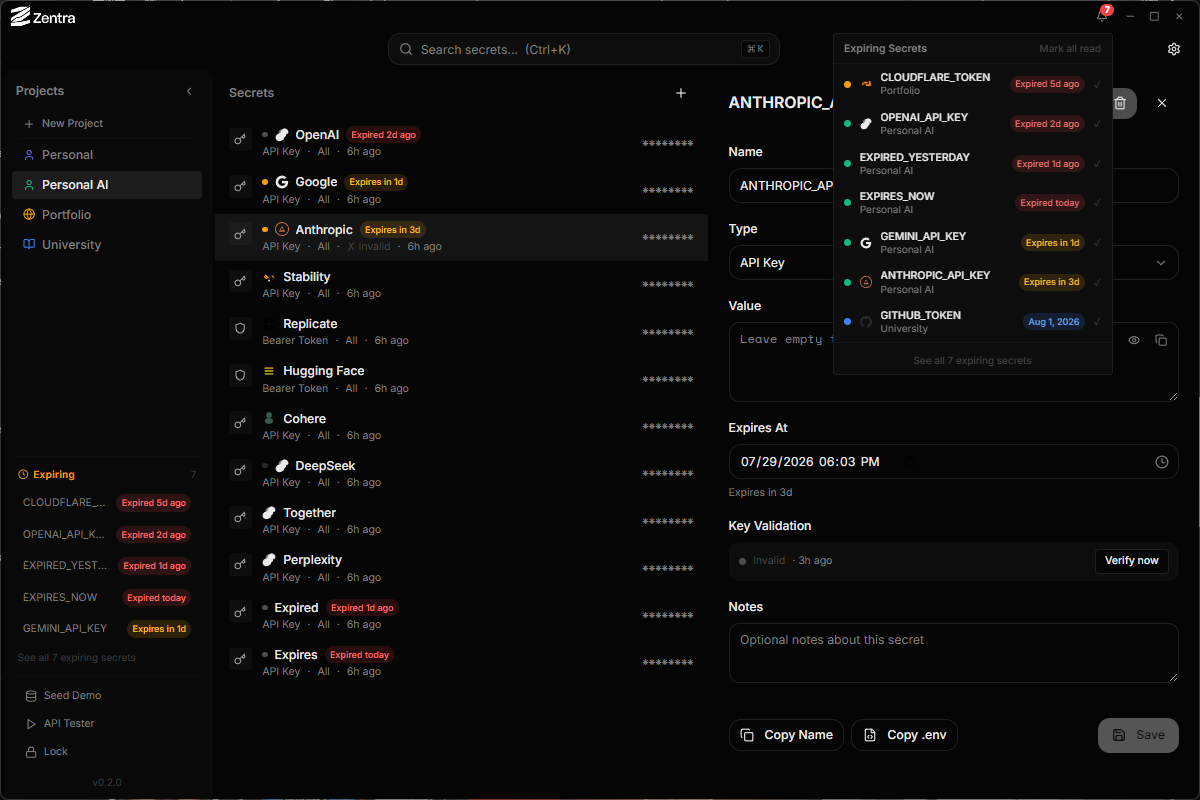
Why Zentra?
API keys are the most valuable thing developers store. Yet most solutions are either cloud-based (which means you are trusting someone else server with your secrets) or plain-text files scattered across projects. Zentra gives you a dedicated, encrypted home for all your secrets with a zero-knowledge architecture — your master password is the only key to your vault.
Architecture
Zentra follows a strict security-first architecture. The Electron main process handles all cryptographic operations — key derivation via Argon2id, encryption withAES-256-GCM — and communicates with the React renderer through IPC. The renderer runs with contextIsolation: true and sandbox: true, meaning even a compromised UI cannot access the encryption keys or raw secret data.
Key Features
- Encrypted vault — AES-256-GCM encryption with Argon2id key derivation
- Master password — single password unlocks your vault; zero-knowledge architecture
- Projects & Tags — organize secrets by project and tag
- Quick Search — Ctrl+K to find any secret instantly via FlexSearch
- API Tester — test API endpoints with stored credentials
- Key Validation — validate API keys against known patterns (AWS, GitHub, Google, Stripe, etc.)
- GitHub Secret Scanning — detect exposed secrets in GitHub repos
- Expiry Notifications — desktop and Google Calendar reminders for expiring secrets
- Backup & Restore — encrypted backup with custom password
- Brute-force Protection — lockout after failed unlock attempts
- Import/Export — .env import and export
- Clipboard Auto-Clear — secrets removed from clipboard after configurable timeout
- Multiple Themes — dark, light, and grayscale
Security Model
Your master password is derived through Argon2id (memory-hard, parallel-resistant) into an encryption key. That key encrypts every secret with AES-256-GCM, providing both confidentiality and authenticated integrity. The encryption key is held only in memory and is cleared on lock, suspend, sleep, or window blur.
The password itself is never stored or transmitted — the vault uses an encrypted sentinel pattern for verification. If you lose your master password, there is no recovery mechanism. This is a deliberate trade-off: absolute privacy means absolute responsibility.
Tech Stack
Getting Started
Open Source
Zentra is open-source under the MIT license. Source code on GitHub. See the privacy policy and security docs for more details.